Best free invoicing software: 6 free plans compared by client, invoice and feature limits
6
Tools ranked
6
With a free plan
Wave
Top pick
Free limits last checked October 2026 · No paid placements
The best free invoicing software for most freelancers and small companies is Wave: its Starter plan costs $0 and has no limit on invoices, estimates or bookkeeping records. ZipBooks is the closest alternative, with unlimited invoices and customers on its free plan.
Free invoicing software is limited in one of three ways: by the number of clients, by the number of invoices, or by features such as recurring invoices and payment reminders. Wave and ZipBooks limit features. Invoice Ninja limits clients, at 5 on the hosted plan. Duevero limits both, at 10 active clients and 10 invoices a month. Which limit you can live with depends on how you bill.
We ranked these six by how far the free plan goes for a freelancer or a small company that sends invoices every month. The limits come from each vendor's pricing page, read in November 2026. Payment processing fees are separate from the software price in every tool here: on Wave's Starter plan a card payment costs 2.9% plus $0.60.
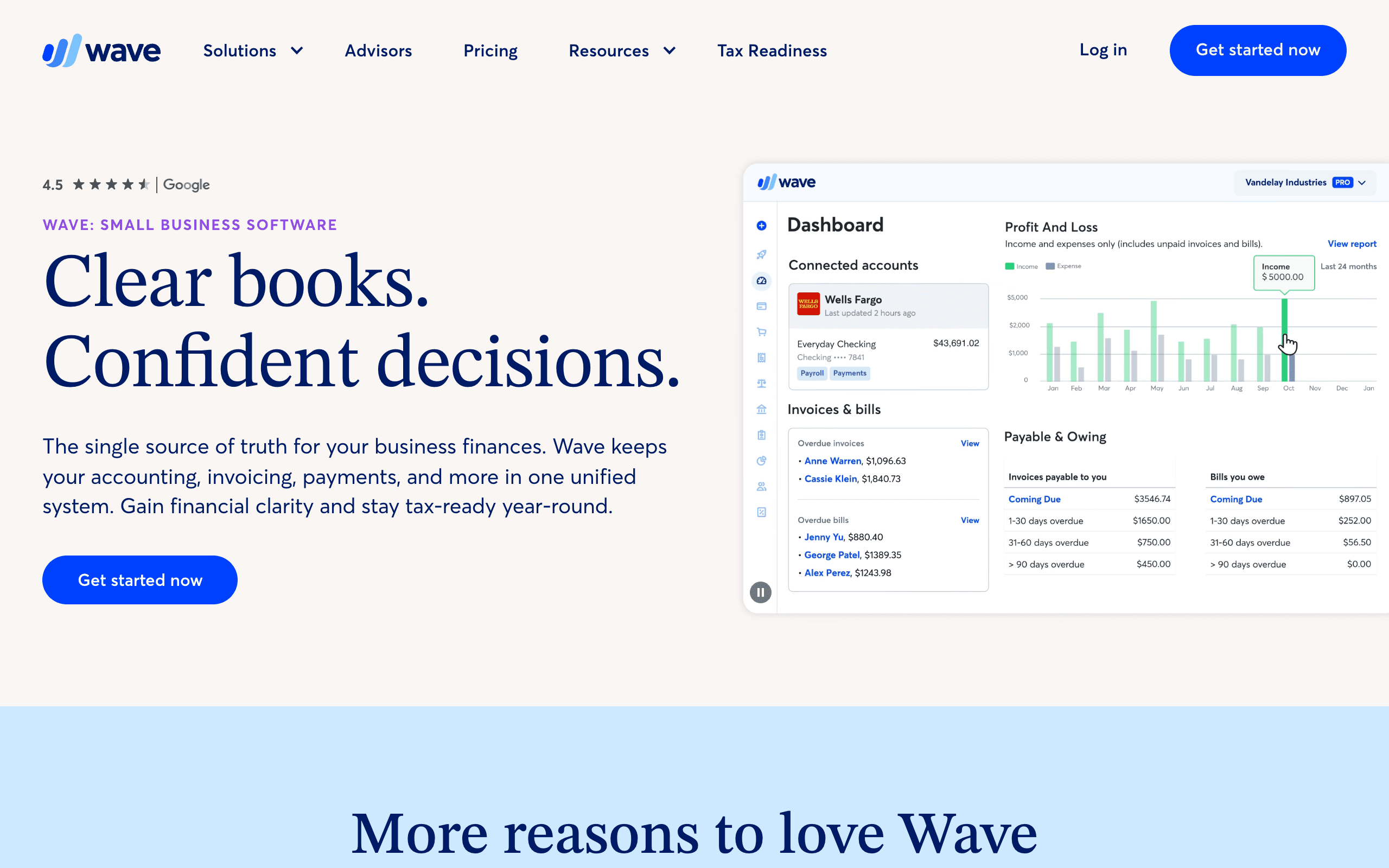
Completely free accounting, invoicing, and receipt scanning for small businesses.
Wave's Starter plan costs $0 and has no cap on invoices, estimates, bills or bookkeeping records. What it leaves out is automation: late-payment reminders, bank transaction import and your own logo and colours on invoices are on Pro, at $19 a month. Card payments cost 2.9% plus $0.60 per transaction on Starter.
On the free plan
Unlimited invoices, estimates and bills
Unlimited bookkeeping records
Online card payments as an add-on, at 2.9% plus $0.60 per transaction
Paid only
Automatic late-payment reminders
Automatic import of bank transactions
Your logo and brand colours on invoices
Removing Wave branding from the invoice footer
When to upgrade:You chase late payments by hand every month, or you want invoices that carry your own branding. Pro is $19 a month.
Free cloud accounting with invoicing, expense tracking, and time tracking.
ZipBooks' free Starter plan sends unlimited invoices to unlimited customers and connects one bank account. Payments run through Square or PayPal. Recurring invoices, automatic reminders and time tracking are on the paid plans, so it suits one-off billing better than retainers.
On the free plan
Unlimited invoices
Unlimited customers and vendors
Payments through Square or PayPal
Basic reports and 1 connected bank account
Paid only
Recurring invoices with automatic billing
Automatic payment reminders
Time tracking
Team members and more bank accounts
When to upgrade:You bill the same clients every month and want invoices to go out and get paid without you.
Open source invoicing with time tracking and expense management.
Invoice Ninja's hosted free plan allows unlimited invoices for up to 5 clients. Custom invoice designs, automatic reminders and API access start on Ninja Pro at $14 a month. The software is open source, so the other free route is to host it yourself, where the client cap does not apply.
On the free plan
Unlimited invoices
Up to 5 clients on the hosted plan
No client limit if you host it yourself
Paid only
Custom invoice designs
Removing Invoice Ninja branding
Automatic payment reminders
API access and bank account sync
When to upgrade:You take on a sixth client and do not want to run a server. Ninja Pro is $14 a month, or $140 a year.
Free desktop accounting software with full double-entry bookkeeping.
Manager's desktop edition is free with every feature and no limit on data or time. It is double-entry accounting, with invoicing as one module. The trade-off is that the data lives on one computer: the cloud edition, which adds access from anywhere and multiple users, costs $59 a month.
On the free plan
Every feature of the desktop edition
No limit on data, time or number of businesses
Windows, Mac and Linux
Paid only
Access from a browser on any device
Several users working in the same books
When to upgrade:A second person, such as an accountant, needs to work in the same file. The cloud edition is $59 a month with a 14-day free trial.
Free invoicing, estimates, expense tracking, and profit visibility for freelancers
Duevero's free plan covers 10 active clients, 10 invoices and 5 estimates a month in one workspace, with no card needed. Expense tracking and a profit view are included. Ten invoices a month is the limit a busy freelancer will reach first.
On the free plan
10 active clients
10 invoices and 5 estimates a month
Expense tracking and a profit view
1 workspace, no card required
When to upgrade:You send more than 10 invoices in a month.
What's good
Genuinely permanent free tier, not a trial, no credit card required
Clean dashboard combining invoices, expenses, and profit in one place
Simple upgrade path with a single $12/month Pro plan, no per-seat pricing
What's not
Free plan capped at 10 active clients, 10 invoices/mo, and 5 estimates/mo
Only 1 business workspace on the free plan
No recurring invoices or automated overdue reminders without Pro
Free open source accounting. Invoicing, expenses, and reporting.
Akaunting is open source accounting with invoicing, and it is free when you run it on your own server. The hosted cloud version has no free plan: it starts at $12 a month, or $8 a month billed yearly, with a free trial. We rank it last because the free route needs a server.
On the free plan
The full open source software on your own server
No limit on invoices or clients set by the software
Paid only
Hosting, updates and backups, which the cloud plans handle
Cloud Standard covers 1 company, 1 user plus 1 accountant and 1,000 invoices
When to upgrade:You do not want to maintain a server. Cloud Standard is $12 a month, or $8 a month billed yearly, and starts with a free trial.
Start from how you bill, not from the feature list. Three patterns cover most small businesses, and each one points to a different limit.
You send a few invoices to many different customers
A client cap is what stops you, so avoid plans that count clients. Wave and ZipBooks do not cap customers or invoices on their free plans. Invoice Ninja's hosted free plan stops at 5 clients, and Duevero's at 10 active clients.
You bill the same clients every month
Here the limit is automation. Recurring invoices and payment reminders are the two features vendors most often keep for paid plans: ZipBooks puts both on its paid tiers, and Wave and Invoice Ninja charge for automatic reminders. On a free plan you can still do this work by hand. With three retainer clients that is ten minutes a month. With thirty it is a reason to pay.
You want the books and the invoices in one place
Wave, ZipBooks, Manager and Akaunting are accounting tools with invoicing inside. Invoice Ninja and Duevero are invoicing tools first. If an accountant will ask for a ledger at the end of the year, starting in an accounting tool saves a migration later.
What free invoicing software still costs
The software can be free while getting paid is not. When a customer pays an invoice by card, the payment processor takes a fee. On Wave's Starter plan that fee is 2.9% plus $0.60 per card transaction, which is $3.50 on a $100 invoice and $29.60 on a $1,000 invoice. Bank transfers that the customer makes on their own cost nothing, so the fee only matters if you want a pay button on the invoice.
The second cost is branding. Free plans from Wave and Invoice Ninja keep the vendor's name on your invoices. That is a small thing for a freelancer and a bigger one for a company that sends invoices to large customers.
Hosted free plan or self-hosted?
Invoice Ninja and Akaunting are open source, and Manager has a free desktop edition. All three remove the usual caps, because you run the software yourself. In exchange you take over the work the vendor would do: a server or a computer that stays on, updates, and backups of financial records you are required to keep. If nobody on the team wants that job, a hosted free plan with a cap is the safer choice.
When to move to a paid plan
Pay when a limit costs you time every month, not before. The usual triggers are a client cap you have reached, reminders you send by hand, or a second person who needs access. The paid plans on this list start between $12 and $19 a month for hosted tools, so the decision is small once the trigger is real.
How we ranked these
No cap, or a high cap, on invoices and clients
The free plan does not expire
Online payment is possible on the free plan
A paid plan exists for the features the free plan leaves out
Rankings follow the criteria above and the limits each vendor publishes, not paid placement. Some links are affiliate links, which never change where a tool ranks.
FAQ
Is there invoicing software that is completely free?
Yes. Wave's Starter plan and ZipBooks' Starter plan send unlimited invoices at no cost. Manager's desktop edition is free with all features. Each one charges for something else: Wave and ZipBooks for automation, Manager for the cloud edition.
Is Wave still free?
Yes. Wave's Starter plan is $0 with unlimited invoices and bookkeeping records. Wave also has a paid Pro plan at $19 a month, which adds reminders, bank import and branding. Payment processing fees apply on both.
Do free invoicing tools charge payment fees?
Yes, when a customer pays an invoice online. The fee goes to the payment processor and is separate from the software. On Wave's Starter plan it is 2.9% plus $0.60 per card transaction.
Which free invoicing software is open source?
Invoice Ninja and Akaunting. Both are free without client or invoice limits if you host them yourself. Invoice Ninja also has a hosted free plan for up to 5 clients.
Can you send recurring invoices for free?
Not on ZipBooks, where recurring invoices are a paid feature. Check each tool's page before you rely on it for retainers, because recurring billing and reminders are the features vendors most often keep for paid plans.